AI Image to Video Generator

Community
Public creations
AI Image to Video Generator
Bring your photos to life with our AI image to video generator. Transform any still image into a captivating video with natural motion, cinematic effects, and optional audio. Perfect for social media content, product showcases, and creative storytelling.
Bring Any Photo to Life with Motion
Watch your still images transform into dynamic videos. Add natural movement, camera effects, and even synchronized audio to create engaging content from any photograph.
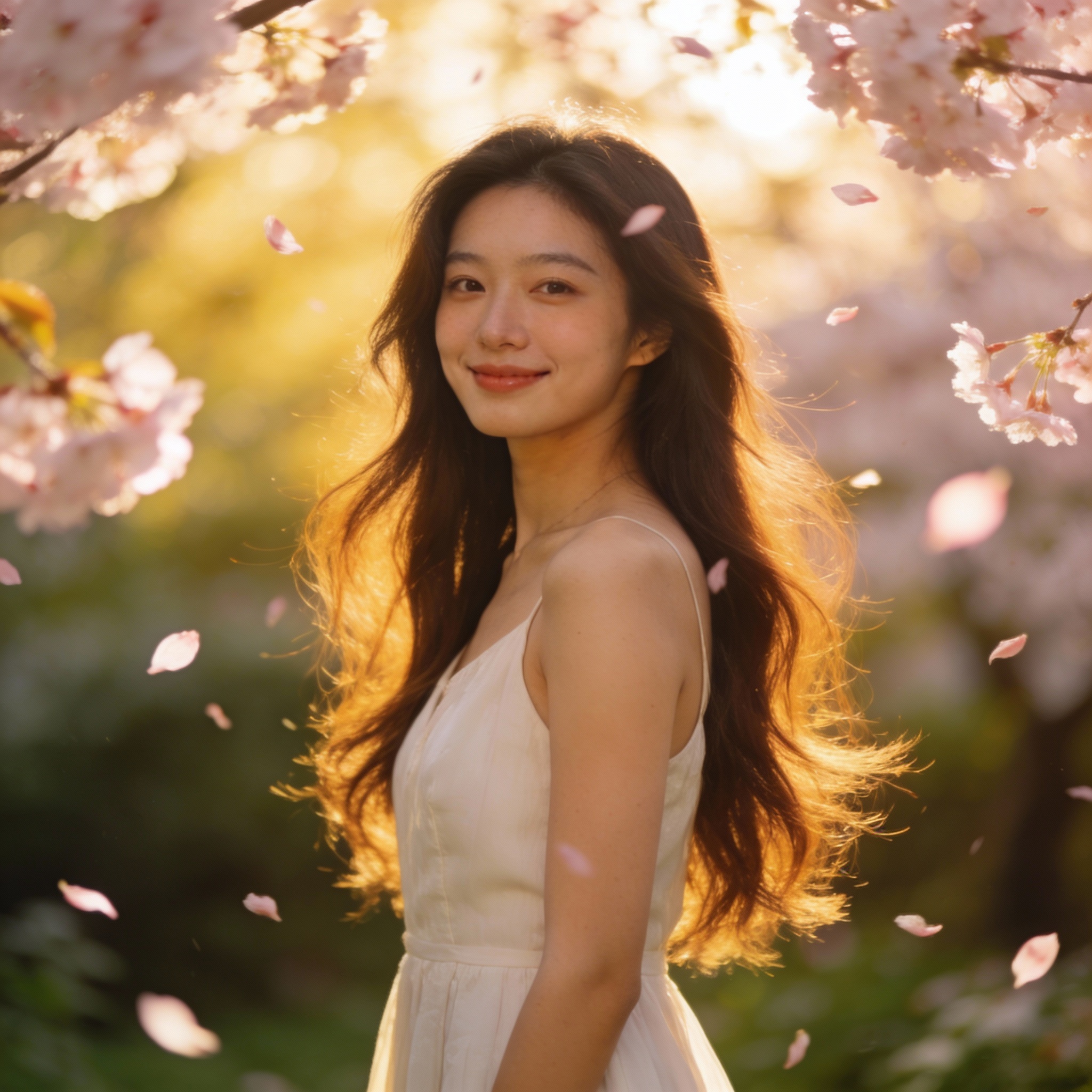
The character slowly turns their head and smiles warmly at the camera.
Videos Complete with Matching Audio
Get more than just motion—our AI generates perfectly synchronized background music and sound effects that match your visuals, creating a fully immersive viewing experience.
Precise Control Over Motion and Style
Your image stays true to its original look while gaining fluid, believable motion. Describe exactly how you want things to move and watch the AI bring your vision to life.
Powered by Industry-Leading AI Models
Access multiple state-of-the-art AI models in one place. Try them seamlessly and create stunning visuals without juggling multiple platforms.
Key Features
Natural Motion Animation
Our AI analyzes your image and generates realistic motion that brings characters, objects, and scenes to life with fluid, believable movement.
Preserve Image Quality
Maintain the visual fidelity of your original image while adding dynamic motion. No quality loss, just pure animation magic.
Cinematic Audio Support
Add synchronized sound effects, ambient audio, or background music to create immersive video experiences from your images.
Any Image Works
From photos to illustrations, product shots to portraits—animate virtually any image type with consistent, high-quality results.
Motion Style Control
Describe exactly how you want your image to move—subtle breathing, dramatic zoom, dynamic action—and watch the AI execute your vision.
Rapid Generation
Get your animated videos in minutes. Our optimized pipeline processes your images quickly while maintaining premium quality.
Who Can Benefit From This Tool?
Create Scroll-Stopping Content
Transform your best photos into eye-catching videos that boost engagement. Create trending content for TikTok, Reels, and Stories without filming.
How It Works
Upload your image—photos, illustrations, or any visual works. Higher resolution images produce better results.
Write a prompt describing the motion you want. Specify camera movements, character actions, and the overall mood.
Select your model, duration, and aspect ratio. Generate and download your animated video from History.
Explore More AI Tools
Ready to Create Amazing Content?
Join thousands of creators using our AI tools to bring their ideas to life.
Frequently Asked Questions
Image to video AI uses deep learning to analyze a still image and generate video frames that create the illusion of motion. The AI understands the content of your image—people, objects, backgrounds—and predicts how they would naturally move based on your prompt.
High-resolution images with clear subjects work best. Photos, digital art, illustrations, and even AI-generated images all work well. Avoid heavily compressed images or those with complex overlapping elements. Images with clear foreground subjects and distinct backgrounds produce the most impressive results.
Your prompt controls the motion. Be specific: "camera slowly zooms in on the face" or "the character turns their head and smiles" or "leaves gently blow in the wind." The more detailed your motion description, the better the AI can execute your vision.
Yes! Portrait photos work excellently. You can make subjects blink, smile, turn their heads, or perform simple gestures. For best results, use clear, well-lit photos with the face clearly visible.
Most models support 5-10 second clips. Some models like Seedance offer up to 12 seconds. For longer videos, generate multiple clips with consistent styling and combine them in a video editor.
The first frame will closely match your input image. As motion is added, there may be slight variations to enable natural movement. Our best models maintain excellent consistency throughout the animation.
Models with audio support (marked with the Audio badge) can generate synchronized audio. You can also add your own music track after downloading the video using any video editing software.
We support 16:9 (YouTube, landscape), 9:16 (TikTok, Reels, Shorts), and 1:1 (Instagram feed). The aspect ratio is independent of your input image—the AI will adapt accordingly.